What the makers say, model by model
There's no industry rule for this, only each maker's instructions for its own models, and they point in different directions. We read the US manuals for the 13 current models in our database. This table sets out what each says about storage and about leaving the unit on the wall.
| Model | Storage charge level | Top-up or cycle interval | Staying on wall power |
|---|---|---|---|
| EcoFlow DELTA 3 Plus | 60%, after discharging to 0% | Every 3 months | UPS use described; no yes or no |
| EcoFlow DELTA 3 Classic, DELTA Pro 3, RIVER 3 Plus | 60%, after a full charge | Every 3 months | UPS use described; no yes or no |
| Jackery Explorer 1000 v2, 2000 v2 | Not stated | Not stated as care advice | UPS use described; support center suggests unplugging at 100% |
| Jackery HomePower 3600 Plus | Not stated | Check and recharge every 3 months; full cycle every 6 to 12 months | UPS use described; support center suggests unplugging at 100% |
| Anker SOLIX C1000 Gen 2, F3800 Plus | 100%; check weekly, charge if below 30% | Full charge at least every 3 months | UPS use described; C1000 Gen 2 has a Backup mode that keeps it full |
| BLUETTI Elite 100 V2 | 40% to 60%, powered off and unplugged | Full cycle every 3 months | UPS use described |
| BLUETTI Elite 200 V2 | 40% to 60%, powered off and unplugged | Every 6 months (tips page says 3) | UPS use described |
| BLUETTI AC180 | 40% to 60% (also says fully charge) | Every 3 months (also says 6) | Not stated |
| DJI Power 1000 V2 | 60% (FAQ: 50% to 70%) | Cycle every 6 months; FAQ says check every 3 to 4 | Disconnect AC when charging is complete; basic UPS also described |
Two brands contradict themselves. Jackery's support center says every one of its stations has a battery management system that prevents overcharging, and still suggests unplugging from the charger once the battery reaches 100%. Its manuals, meanwhile, describe running the station as a UPS on mains power. DJI's Power 1000 V2 manual says to disconnect AC when charging is complete, its safety guidelines say to remove the AC cable when not in use, and the same manual explains UPS mode. Neither brand reconciles the two.
Stored for the next outage: charge level and top-ups
If the station sits in a closet between outages, the storage section of the manual is the one to follow, and the levels differ by brand. Anker's SOLIX guides want the battery full: check it each week, charge to 100% if it drops below 30%, and charge to 100% at least every 3 months. BLUETTI's Elite manuals say charge to 40% to 60%, power off and disconnect every cable. DJI says discharge to 60% and warns that storing at a high charge level shortens cell life.
EcoFlow lands on 60% by two routes. The DELTA 3 Plus manual says to discharge to 0% and recharge to 60%, while the DELTA 3 Classic, DELTA Pro 3 and RIVER 3 Plus manuals say to charge fully and then discharge to 60%. All four say to charge and discharge every 3 months, and warn that leaving the unit uncharged or unused for more than 6 months voids the warranty.
Jackery's Explorer v2 manuals give no storage level. They warn that storing a depleted unit for 3 to 6 months can harm it and may leave it unable to charge, and Jackery's warranty requires a full charge at least once every 6 months. BLUETTI's AC180 manual gives two answers in different sections, 40% to 60% with a 3-month cycle and a full charge with a 6-month cycle, so it's worth asking BLUETTI which applies.
Plugged in and passing power through
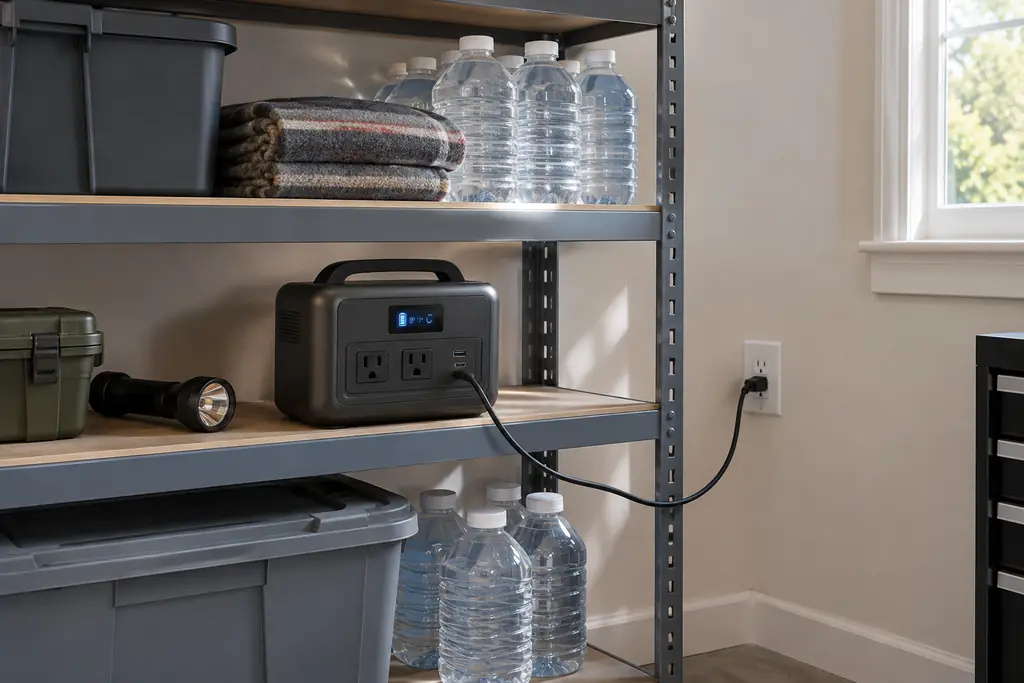
UPS mode is the case where every maker expects the station to stay on the wall. EcoFlow's manuals call it a standby UPS with a 10 ms transfer, and the DELTA 3 Classic, DELTA 3 Plus and DELTA Pro 3 manuals add that it only works if the grid supplies more power than your devices draw. Jackery gives 20 ms for the Explorer v2 models and 10 ms for the HomePower 3600 Plus, and all three Jackery manuals say to unplug the cord during a storm. BLUETTI's Elite manuals describe the same arrangement. Our post on power stations as a UPS covers what those switchover times mean for the devices plugged in.
Some apps let you cap the charge while the station sits on the wall. Anker's C1000 Gen 2 lets you set an upper limit between 80% and 100%, or choose a Backup mode that keeps the battery full for emergencies. EcoFlow and BLUETTI apps have charge limits too, and their manuals don't say what value to choose.
None of the manuals we read says whether pass-through charging or months on the wall wears the battery faster. They describe the modes and stop there.
Heat, cold and where to keep it
Charging temperature limits matter in a cold garage. EcoFlow, Jackery's Explorer v2 models and DJI allow charging from 0°C to 45°C (32°F to 113°F), and Anker and BLUETTI from 0°C to 40°C (32°F to 104°F). Jackery's HomePower 3600 Plus is the one current model whose manual lists charging down to −20°C (−4°F). Our winter storm plan covers keeping a station usable through a cold outage.
Storage ranges are narrower for long periods. Jackery gives 0°C to 25°C (32°F to 77°F) for a year on the Explorer v2 and HomePower 3600 Plus. EcoFlow's spec tables list −10°C to 45°C, with 20°C to 30°C as the best range. BLUETTI's Elite 200 V2 asks for under 35°C (95°F) when stored for more than a month, DJI's spec page gives −10°C to 45°C, and Anker's guides say only "dry and cool".
A simple routine before storm season
Find the storage section of your own manual and note its charge level and interval. Put a reminder in your calendar at that interval. Before storm season, check the charge and top it up the way your manual says, and look the model up on our recalls page.
If you keep the station on the wall as a UPS, that's a use every maker here describes. If you'd rather unplug it between charges, Jackery and DJI suggest doing exactly that. Our guide to backup without solar covers charging it from the wall before an outage.
Questions readers ask
Can I leave my Jackery plugged in all the time?
Jackery's support center says its battery management system prevents overcharging, and still suggests unplugging once the battery reaches 100%. Its Explorer v2 and HomePower 3600 Plus manuals describe UPS use while connected to the mains, and say to unplug the cord during a storm.
Can an EcoFlow stay plugged in all the time?
The DELTA 3 Plus, DELTA 3 Classic, DELTA Pro 3 and RIVER 3 Plus manuals describe using the station as a standby UPS on wall power. None says outright that it may stay plugged in indefinitely, and none warns against it.
Does pass-through charging damage the battery?
None of the manuals we read for current models says either way, whether for pass-through charging or for long-term connection.
How often should I recharge a power station in storage?
Every 3 months on the EcoFlow, Anker and BLUETTI Elite 100 V2 manuals, with a weekly check on Anker. DJI says cycle every 6 months, and its FAQ says check every 3 to 4. Jackery's HomePower 3600 Plus says every 3 months, and the Explorer v2 manuals give no interval.
Sources
- EcoFlow DELTA 3 Plus User Manual (US), EcoFlow
- EcoFlow DELTA 3 Classic User Manual (US), EcoFlow
- EcoFlow DELTA Pro 3 User Manual (US), EcoFlow
- EcoFlow RIVER 3 Plus User Manual (US), EcoFlow
- Is it okay to keep my portable power station plugged into an outlet all the time?, Jackery Support
- Jackery Explorer 1000 v2 User Manual, Jackery
- Jackery Explorer 2000 v2 User Manual, Jackery
- Jackery HomePower 3600 Plus User Manual, Jackery
- Anker SOLIX C1000 Gen 2 User Guide (A1763), Anker SOLIX
- Anker SOLIX F3800 Plus User Guide (A1790P), Anker SOLIX
- BLUETTI AC180 User Manual, BLUETTI
- BLUETTI Elite 100 V2 User Manual V5.1, BLUETTI
- BLUETTI Elite 200 V2 User Manual V2.0, BLUETTI
- DJI Power 1000 V2 User Manual v1.0, DJI
- DJI Power 1000 V2 Safety Guidelines v1.01, DJI
- DJI Power 1000 V2 FAQ, DJI
- DJI Power 1000 V2 Specs, DJI