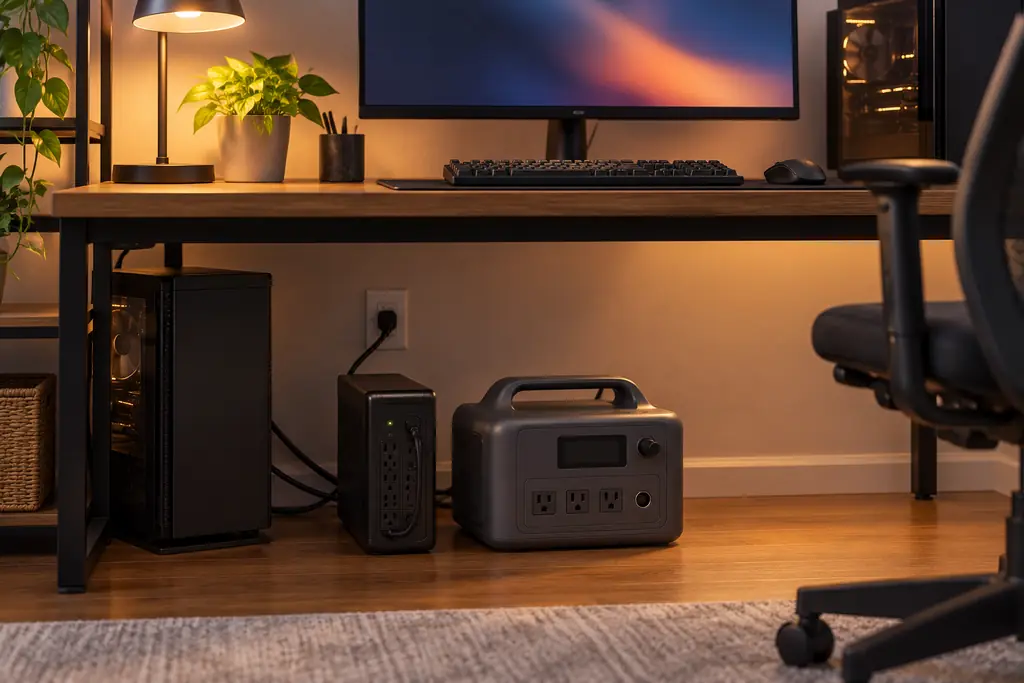
What a UPS does when the power fails
A UPS (uninterruptible power supply) gives emergency power to the equipment plugged into it when the main supply fails. UL Solutions, which certifies UPS equipment in the US to the UL 1778 standard, describes that protection as near-instantaneous. It also notes that a UPS is built for short-term backup and usually sits idle until the power is disrupted.
A portable power station can do part of that job. Many models pass wall power through to your devices and switch to their own battery when the grid drops. The difference from a dedicated UPS is the gap during that switch, and what each maker says about it.
UPS, EPS and pass-through charging are different features
Pass-through charging only means the station can charge from the wall while powering your devices. It says nothing about what happens when the wall power stops. Jackery's Explorer 300 shows the difference: it supports pass-through charging, and its manual still says it can't be used as a UPS. Anker's spec page for the SOLIX C300 DC simply lists "UPS: No".
Makers that do offer a switchover name it in different ways. EcoFlow's DELTA 2 manual calls it EPS (Emergency Power Supply): grid power runs your devices, and the station moves them to battery within 30 ms. EcoFlow describes this as "a basic UPS function" that does not support 0 ms switching, and tells owners not to connect data servers or workstations. Its newer manuals call the feature "standby UPS" with a 10 ms transfer, and the DELTA 3 Classic manual adds a condition: the station only works as a UPS when the grid supplies more power than your devices draw.
Jackery's Explorer 1000 v2 manual calls it UPS, with a switch to battery within 20 ms, no 0 ms support and advice to connect one device. Anker's SOLIX C1000 Gen 2 guide says "UPS supports 10 ms" and explains that in bypass mode the grid powers the AC outlets directly. BLUETTI calls it a "UPS Feature", rated at 10 ms on the Elite 100 V2 and 15 ms on the Elite 200 V2, and says it isn't for data servers or workstations either.
Why switchover time matters to what is plugged in
The switchover time is the gap between the wall power failing and the station's inverter taking over. What that gap does depends on the device at the other end of the cable.
A laptop on its charger has its own battery, so a short gap at the charger makes no difference to it. A router or modem has no battery, so the same gap may restart it, and you lose the connection while it boots. A desktop PC sits in between: its power supply can ride out a short gap, and the question is whether the gap is shorter than what the power supply can hold.
What a maker's "10 ms" claim does and does not promise
Of the 20 models in our power station database, 18 state a switchover time. Eight state 10 ms, one states 15 ms, seven state 20 ms and two state 30 ms. Each is written as a maximum ("within" or "under"), not as a measured result. DJI's FAQ for the Power 1000 V2 gives "within 0.01 seconds" and footnotes it as a laboratory result, while the manual itself gives no number.
Intel's ATX power-supply design guide (revision 2.1a, aligned to ATX 3.1) asks PC power supplies to hold their output for 12 ms at full load, and recommends 17 ms at 80% load. Before that revision the requirement was 17 ms at full load. A 10 ms switchover fits inside the current requirement on paper; 15, 20 and 30 ms do not. This is a target for power-supply makers, though, so it can't promise that your particular PC stays on.
Other limits sit in the small print. Jackery caps output in UPS mode until the outage starts: 1,500 W on the Explorer 2000 v2, which is rated for 2,200 W, and 1,440 W on the HomePower 3600 Plus. On the Anker SOLIX F3800 Plus only the left three NEMA 5-20R outlets have UPS. BLUETTI's AC180 manual gives 20 ms, asks owners to test the feature first and says to turn off Grid Enhancement mode when using it as a UPS. DJI's Power 1000 V2 manual says UPS-mode output may be lowered in some regions.
Routers, computers and medical devices
For a router and modem, a station with a UPS mode keeps the internet running through a long outage even if the first second costs you a restart. For a desktop PC holding unsaved work, a 10 ms model is the better bet on paper, and a dedicated UPS is still the device built for that job.
Medical equipment is a separate decision. DJI's manual names medical equipment as an example of what not to connect in UPS mode, and EcoFlow says its stations are not for life-sustaining equipment and that you should ask the equipment maker about other medical devices. ResMed's AirSense 11 user guide says the CPAP restarts therapy on its own when power returns after an interruption. ResMed's own RPS II battery can't be connected to grid power and the CPAP at the same time, and ResMed doesn't say whether a UPS or power station is supported. Our CPAP runtime guide and CPAP buying guide cover battery size; the CPAP maker decides how the machine may be powered.
How to check your own equipment before you rely on it
Start with the station's manual: find the UPS or EPS section, the switchover time, which outlets carry it and any output limit while the mode is on. Then plug in the equipment you care about, start it, and switch off the wall supply feeding the station. Watch whether the equipment stays on and whether the station behaves the way its manual describes. Do this once before storm season rather than in the first minute of an outage.
If the station will live on wall power between outages, our guide to home backup without solar covers keeping it charged.
Questions readers ask
Does pass-through charging mean a station works as a UPS?
No. Jackery's Explorer 300 supports pass-through charging, and its manual still says it can't be used as a UPS. Look for a UPS or EPS section in the manual itself.
Is a 10 ms switchover fast enough for a desktop PC?
It fits inside the 12 ms full-load hold-up that Intel's ATX design guide requires of PC power supplies. That's a design target for power-supply makers, so it can't promise that a particular PC stays on. Switch off the wall supply with the PC running and see.
Can I leave my router and modem on a power station's UPS mode?
Yes, if the model has a UPS or EPS mode. A router has no battery of its own, so the switchover gap may restart it. Test it once before an outage so you know what to expect.
Can I run a CPAP on a power station in UPS mode?
Ask the CPAP maker. ResMed's AirSense 11 guide says the machine restarts therapy on its own when power returns after an interruption, but ResMed doesn't say whether a UPS or power station is supported. Several station makers warn against life-sustaining equipment.
Sources
- Uninterruptible Power Supply (UPS) Safety and Compliance with UL 1778, UL Solutions
- EcoFlow DELTA 2 User Manual V1.0 (EPS section, p. 11), EcoFlow
- EcoFlow DELTA 3 Classic User Manual (UPS and medical equipment sections), EcoFlow
- Jackery Explorer 1000 v2 User Manual (UPS section), Jackery
- Jackery Explorer 2000 v2 User Manual, Jackery
- Jackery HomePower 3600 Plus User Manual (p. 9), Jackery
- Jackery Explorer 300 User Manual (FAQ), Jackery
- Anker SOLIX C1000 Gen 2 User Guide (A1763), Anker SOLIX
- Anker SOLIX F3800 Plus User Guide (A1790P), Anker SOLIX
- BLUETTI Elite 100 V2 User Manual V5.1 (section 7), BLUETTI
- BLUETTI Elite 200 V2 User Manual V2.0 (section 7), BLUETTI
- BLUETTI AC180 User Manual, BLUETTI
- DJI Power 1000 V2 User Manual v1.0 (UPS section, p. 17), DJI
- DJI Power 1000 V2 FAQ, DJI
- ATX Version 3 Multi Rail Desktop Platform Power Supply Design Guide, Revision 2.1a (section 4.2.9), Intel
- AirSense 11 User Guide (Americas), ResMed
- ResMed Power Station II fact sheet, ResMed